This page is also available as Markdown: request this page's URL with an Accept: text/markdown header. For an index of Next.js documentation, see /docs/llms.txt.
Route Groups
Last updated June 16, 2025
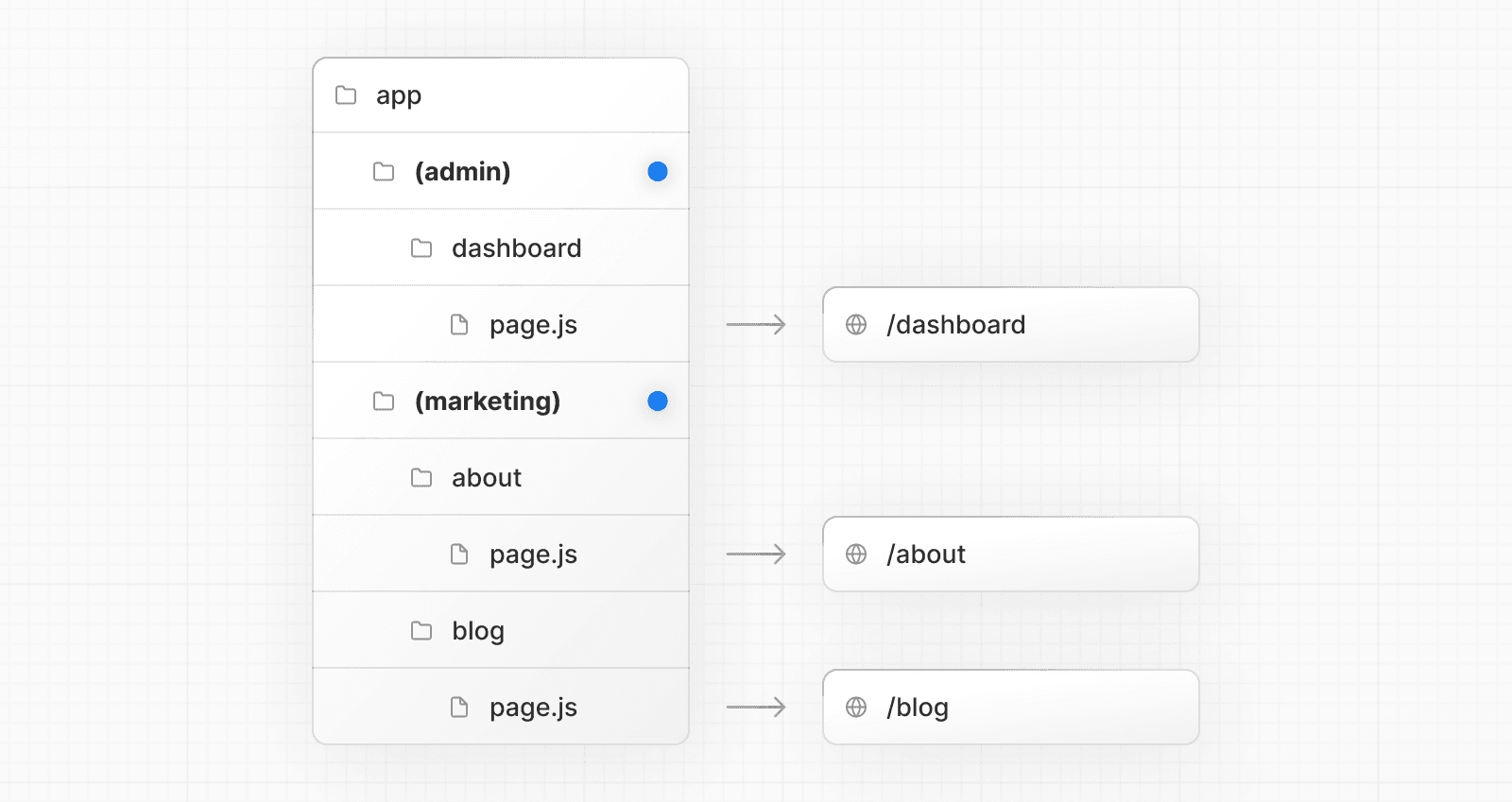
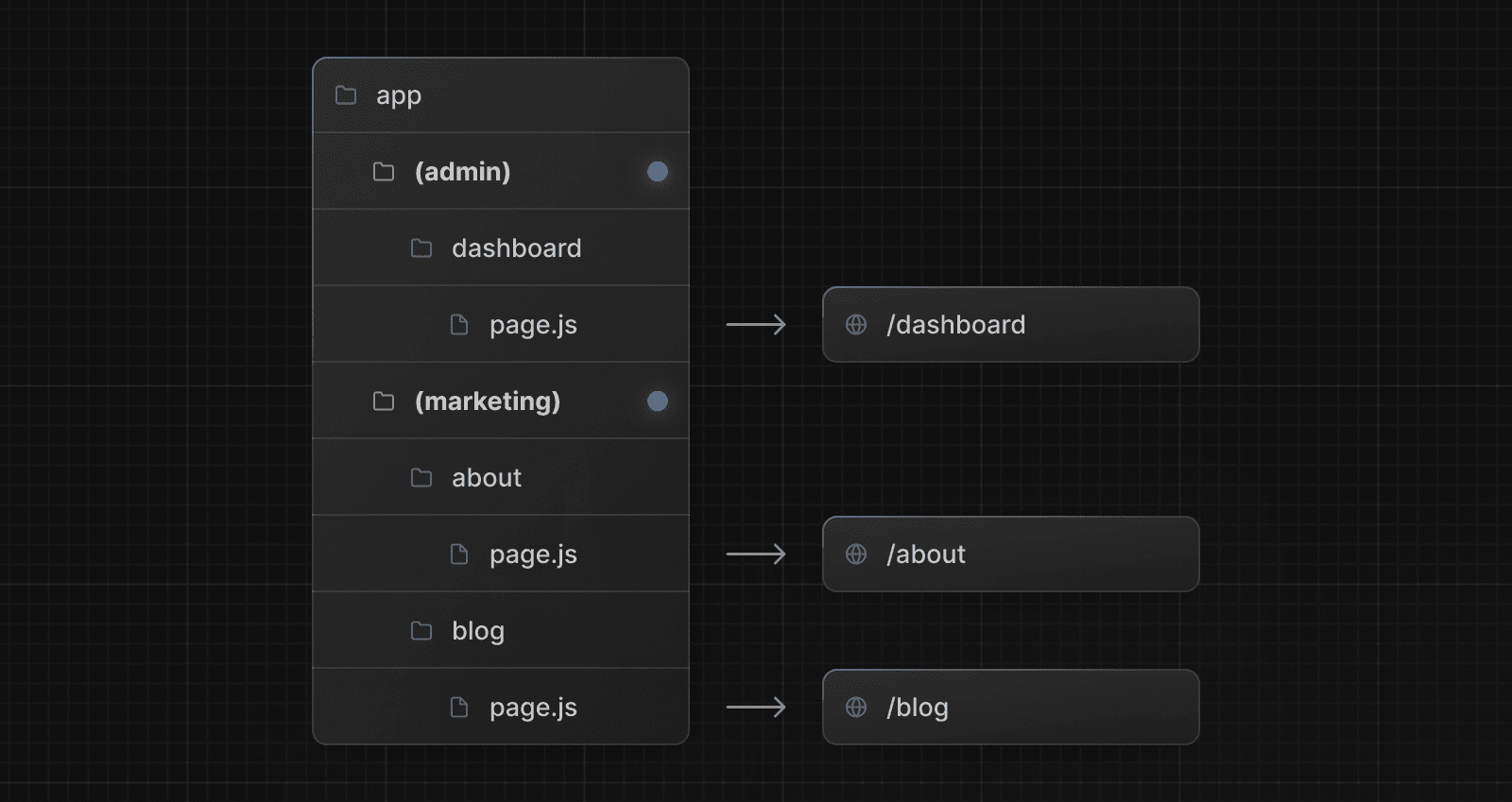
Route Groups are a folder convention that let you organize routes by category or team.
Convention
A route group can be created by wrapping a folder's name in parenthesis: (folderName).
This convention indicates the folder is for organizational purposes and should not be included in the route's URL path.
Opting specific route segments into sharing a layout, while keeping others out.
Caveats
Full page load: If you navigate between routes that use different root layouts, it'll trigger a full page reload. For example, navigating from /cart that uses app/(shop)/layout.js to /blog that uses app/(marketing)/layout.js. This only applies to multiple root layouts.
Conflicting paths: Routes in different groups should not resolve to the same URL path. For example, (marketing)/about/page.js and (shop)/about/page.js would both resolve to /about and cause an error.
Top-level root layout: If you use multiple root layouts without a top-level layout.js file, make sure your home route (/) is defined within one of the route groups, e.g. app/(marketing)/page.js.